Create Scala project in IntelliJ IDEA

This quick tutorial will help you create a Scala project in IntelliJ IDEA
Install the Scala plugin
The first step is to install the Scala plugin. This plugin is not installed by default for you.
First, go to Files->Settings:
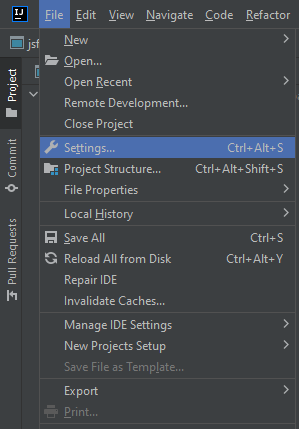
Go to Intellij IDEA settings
Then click on plugins->Marketplace and search for scala:
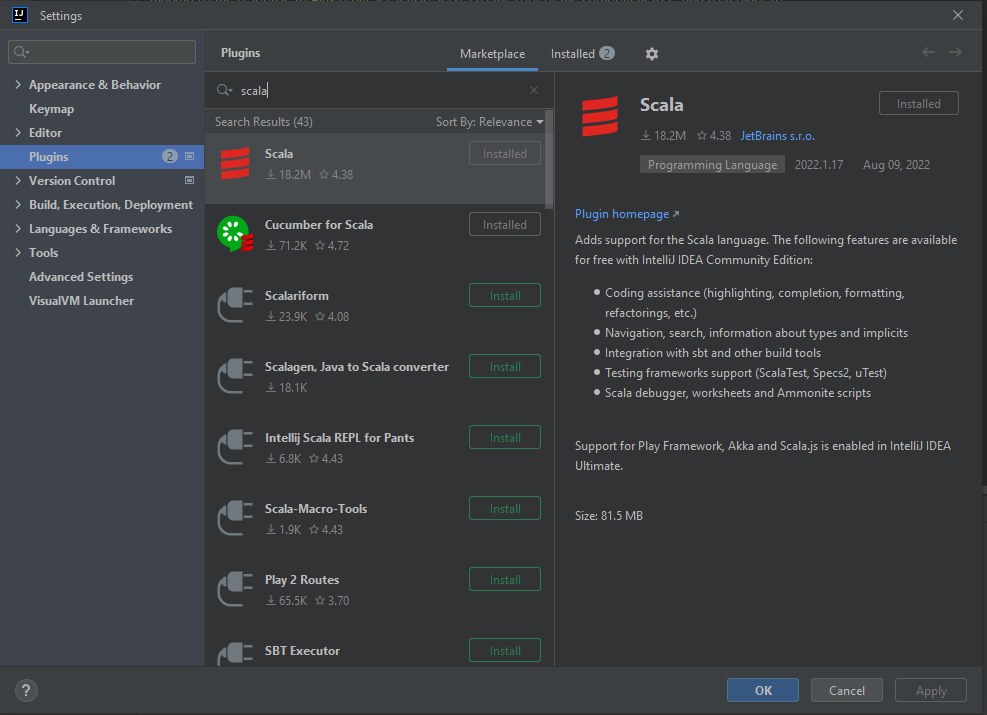
Search for scala in plugins marketplace
Click on install. The IDE will ask you to restart. Do as it asks.
Create Scala project
Now you have the Scala plugin installed. Click on File->new->Project:
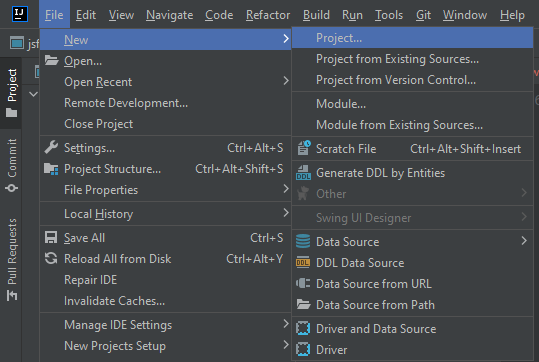
Create a new project
Enter the details below:
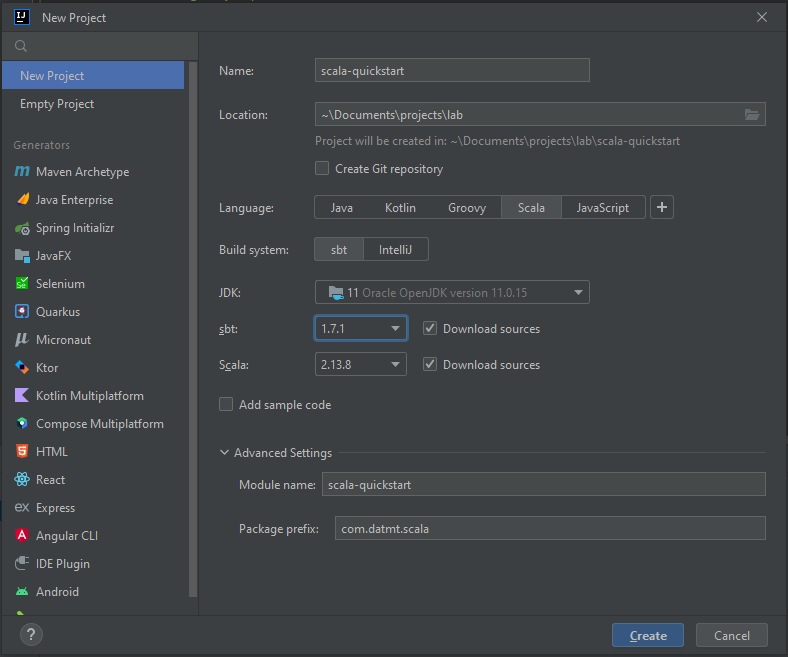
Create a new empty scala project
Click on create and you are done!