Overview of the Queue Interface in Java
Overview
In computer science, Queue is a first in first out (FIFO) data structure. That means elements are added at the end of a queue and removed from the beginning.
The Queue interface in Java provides methods to add and remove elements. Details as below:
| Method | Function |
offer(element) | Insert element to the queue |
poll() | Get and remove an element at the head of the queue, returns null if the queue is empty |
remove() | Same as poll but throws an exception if the queue is empty |
peek() | Get but not remove an element from the beginning of the queue. Returns null if the queue list is empty |
element() | Same as peek() but will throw an exception if the queue is empty |
Methods offered by the Queue interface in Java
In short, the Queue interface has only one method to add elements but 2 sets of methods to get elements out of it.
Here is the diagram of the Queue interface in Java:
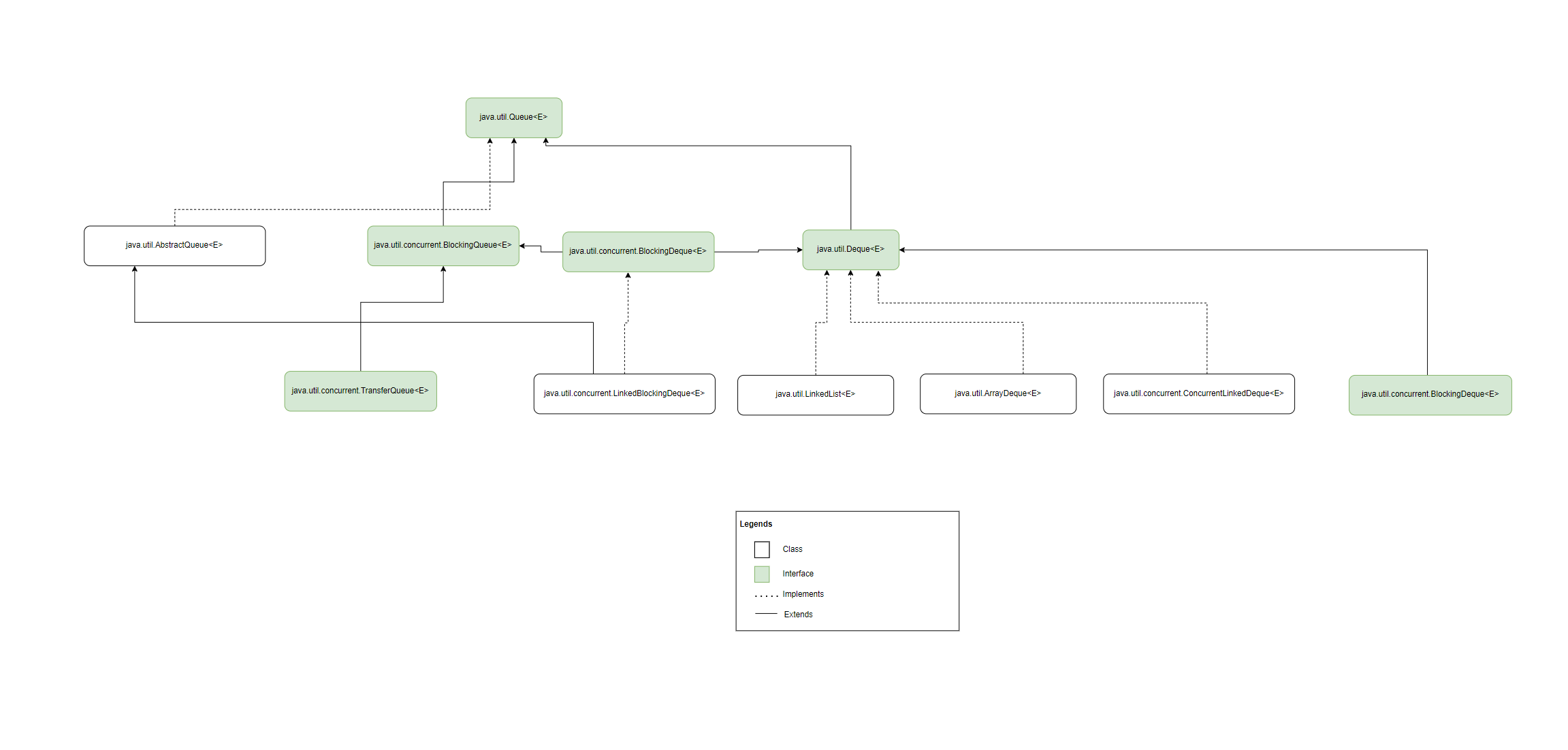
The java Queue interface family tree
Queue in Action
Let’s consider the following code to understand Java’s Queue’s operation
package com.datmt.java_core.collection.queue;

import java.util.LinkedList;
import java.util.NoSuchElementException;
import java.util.Queue;

public class QueueOperation {
    public static void main(String[] args) {
        Queue<String> people = new LinkedList<>();
        Queue<String> emptyQueue = new LinkedList<>();

        //1. Adding elements to queue
        people.offer("Anna");
        people.add("Bob");

       //2. Get element from queue, not removing
        System.out.println(people.peek());
        System.out.println(people.element());

        System.out.printf("Now the queue contains %s people",  people.size());
        System.out.println();

        //3. Get element and also remove
        System.out.println(people.remove());
        System.out.println(people.poll());


        System.out.printf("Now the queue contains %s people",  people.size());

        //4. Get element from an empty queue
        System.out.println("the following method are safe on empty queue");
        System.out.println(emptyQueue.poll());
        System.out.println(emptyQueue.peek());


        System.out.println("the following method calls would throw exceptions");

        try {
            System.out.println(emptyQueue.remove());
        } catch (NoSuchElementException ex) {
            System.out.println("element does not exist");
        }

        try {
            System.out.println(emptyQueue.element());
        } catch (NoSuchElementException ex) {
            System.out.println("element does not exist");
        }
    }
}
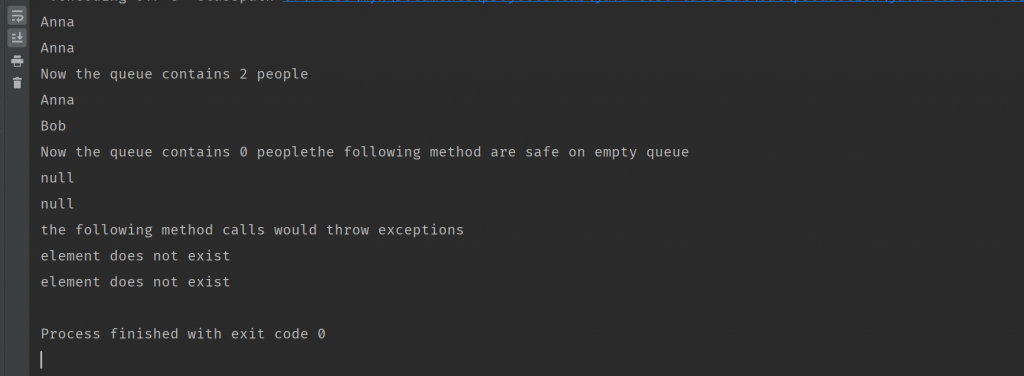
This is the output as you may expect:
Conclusion
As you can see, the Queue interface offers some convenient methods to deal with queues. However, there are a lot of features offered by Java regarding working with queues. We will discover such features in the next posts.