How To add Timestamp in DAML contract
Overview
By default, there isn’t a timestamp field in DAML contract. If you observe the return of a fetch query, there isn’t a field represents timestamp.
This article will help you create timestamp for your contract so you can have field like this:
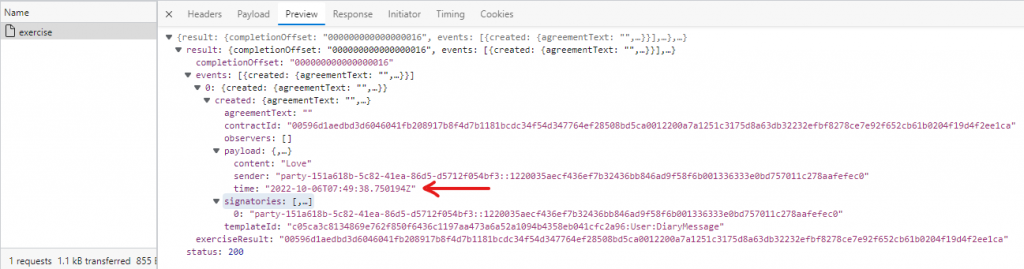
Timestamp field in DAML contract
The getTime function
DAML has a convenient function called getTime that returns ledger’s time. You can read more about it here.
You can use that function to get the current time and assign it in a field when creating the template:
template SomeMessageWithTimestamp with
    sender: Party
    content: Text
    time: Time
  where
    signatory sender
Later, when creating the contract, you can assign the value to the time field:
    nonconsuming choice SendMessageWithTimestamp: ContractId SomeMessageWithTimestamp with
        sender: Party
        content: Text

      controller sender
      do
        time <- getTime -- pass the current time to the field here
        create SomeMessageWithTimestamp with sender, content, time
When you execute the contract, that field is filled with desired value here:
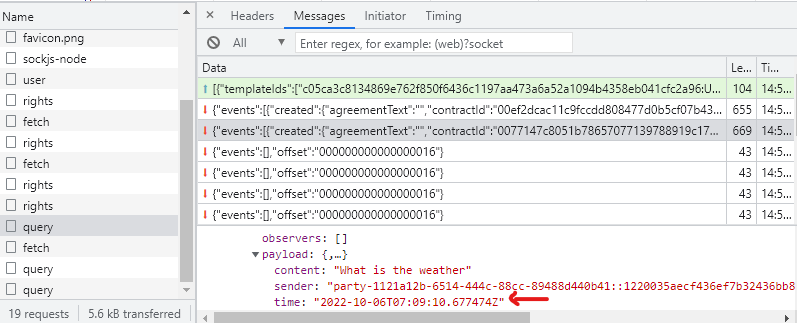
daml contract with timestamp
Conclusion
This post showed you how to pass creation time to the smart contract in DAML. Following this example, you can pass multiple, different data to fields of your contract.